
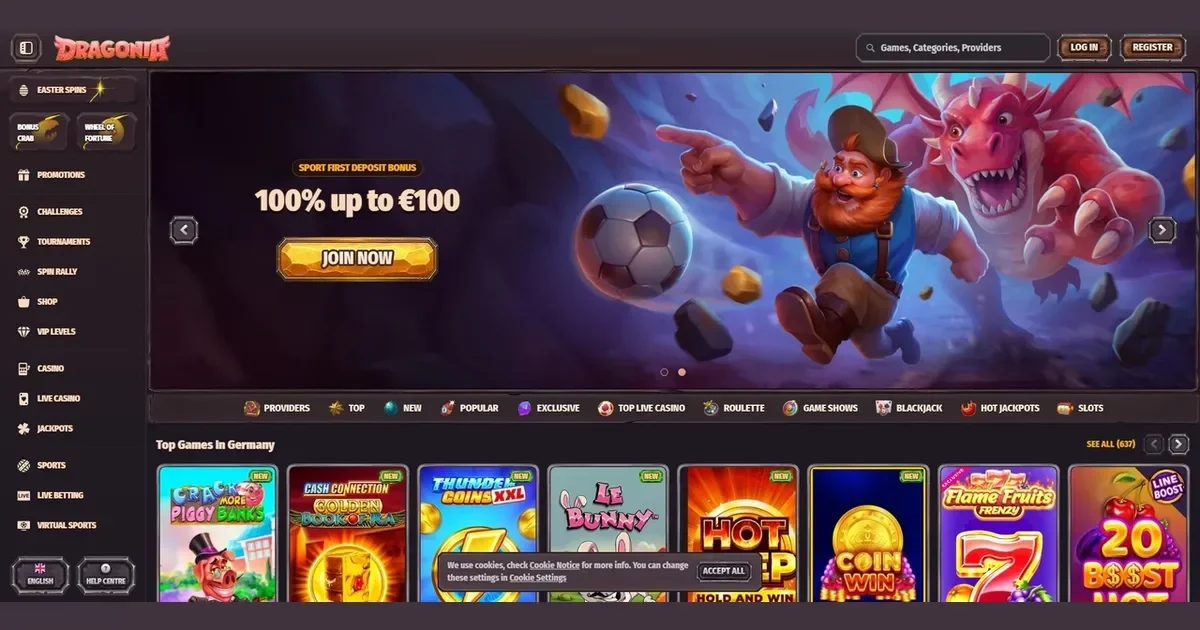
Dragonia runs entirely in mobile browsers — Safari, Chrome, Firefox or any other — without requiring an app download. The platform adjusts to phone and tablet screens automatically, giving Australian players access to the same account, games and cashier they use on desktop.
Playing from a phone
Mobile access happens through the operator's standard web address opened in a phone browser. The process takes three steps:
- Open your browser and navigate to the operator's domain.
- Log in with the same credentials used on desktop — no separate mobile registration exists.
- The interface loads in a touch-optimised layout, with game tiles and navigation adapted for smaller screens.
Everything runs server-side: no storage space is used on the device, and updates happen automatically without manual reinstalls. The browser remembers login details where the user allows it, shortening subsequent sessions.
What the operator actually provides
Dragonia's mobile offering is browser-based across both iOS and Android. Players reach the full game library — over 9,000 titles from Pragmatic Play, Evolution Gaming, NetEnt, Play'n GO and Yggdrasil — without platform restrictions. The cashier accepts the same methods as desktop: Mastercard, Visa, Skrill, Neteller, Jeton, MiFinity, plus Bitcoin, Litecoin and Ethereum.
Deposits process instantly through the mobile cashier, with the same 10 EUR minimum that applies on desktop. Withdrawals follow standard timelines: e-wallets and crypto clear within 0–24 hours; cards and bank transfers take 1–5 business days. Daily and monthly limits stay consistent — 500 EUR per day, 7,000 EUR per month at baseline, increasing with VIP progression.
Support channels remain live on mobile. The operator runs live chat and responds to email enquiries through the same queues serving desktop users. Response times and availability are not published separately for mobile access.
The parts that work well
Game loading is quick on modern connections. Slots from the highlighted providers — including Aviator, Chicken Road, Gemhalla, Wolf Gold, Gates of Olympus 1000 and Book of Ra — scale cleanly to portrait and landscape orientations. Live dealer tables stream in real time, though picture quality depends on available bandwidth.
Touch controls are straightforward: tap to spin, swipe to browse categories, pinch to zoom where the layout allows. Bet adjustments and paytable access work the same way they do on desktop, adapted for thumbs rather than cursors.
The cashier's mobile layout fits deposit forms and withdrawal requests onto a single scrollable screen. Currency selection and payment method switching happen without leaving the page. Cryptocurrency deposits generate QR codes that scan directly from a wallet app.
The parts that do not
Multitasking drains battery faster than single-app use — a two-hour session on cellular data can pull 30–40% charge on older phones. Background processes slow down game rendering on devices with less than 4 GB of RAM, particularly in live dealer rooms handling video feeds.
Small screens compress detailed paytables into scrollable overlays that cover the reels. Progressive jackpot tickers and multi-line slot displays get harder to read below a 5-inch diagonal. Some older NetEnt titles were built for desktop aspect ratios and crop awkwardly in portrait mode, though the newer catalogue adapts better.
Typing on a phone keyboard takes longer than on a full-size board. Account verification — uploading photo ID, proof of address and payment card images — is clumsy through a phone camera compared to scanning documents at a desktop. The operator asks for these uploads at first withdrawal or when deposits exceed set thresholds, and the process works better on a larger device.
Battery, connection and session length
Cellular data burns through allowances quickly. A 90-minute live blackjack session over 4G uses roughly 150–200 MB, depending on video quality. Slots consume less — around 50 MB per hour — but totals climb when switching between games frequently. Connecting through Wi-Fi avoids the cost and provides steadier streams.
Weak signal causes lag. Live dealer feeds stutter below three bars of coverage; games time out and reload if the connection drops entirely. Playing during commutes or in areas with patchy reception often means interrupted sessions and lost progress on bonus rounds.
Phones heat up during extended play, particularly when charging and gaming simultaneously. Thermal throttling kicks in after 60–90 minutes of continuous use on many models, slowing frame rates and increasing load times. Taking breaks between sessions keeps the device cooler and performance stable.
What to check first
Before starting a mobile session, confirm you are on the operator's actual domain — phishing sites targeting mobile users are common, and a mistyped address can land on a spoofed page. Bookmark the legitimate site after verifying it once.
Set deposit limits through the account's responsible gambling tools before playing on a device you carry everywhere. The operator offers deposit caps that apply across desktop and mobile; configuring them in advance prevents impulsive decisions during a phone session.
Sign out when finished, especially on shared or public devices. Browsers cache login credentials by default, and leaving an account open on a borrowed phone exposes funds and personal data. The logout control sits in the account menu at the top right of the mobile interface.
Check battery level and connection strength before committing to a game. Starting a session at 15% charge or on one bar of signal leads to interruptions mid-play. Plug in where possible, or wait for a stronger connection rather than gambling on a weak one.
Gambling carries risk and is restricted to adults aged 18 and over. For support with problem gambling in Australia, contact the National Gambling Helpline on 1800 858 858, available 24 hours a day, or register with BetStop at betstop.gov.au — the free national self-exclusion scheme covering all licensed Australian wagering providers. This site is an independent information portal about Dragonia and does not operate the casino, take bets or handle player accounts.